Features
Everything in the box, shown as it really looks
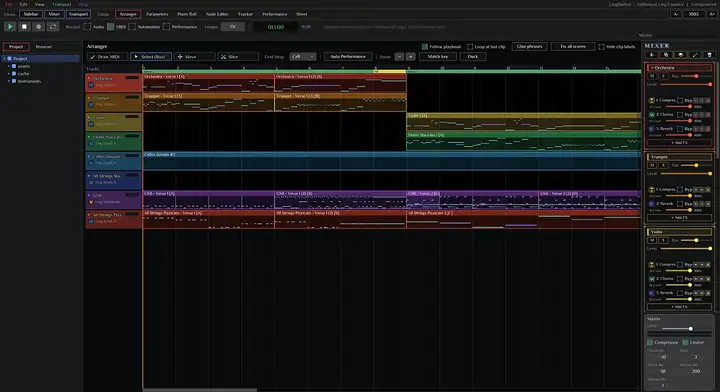
These are screenshots of LingStationX itself, not mock-ups. Click any picture to enlarge it.
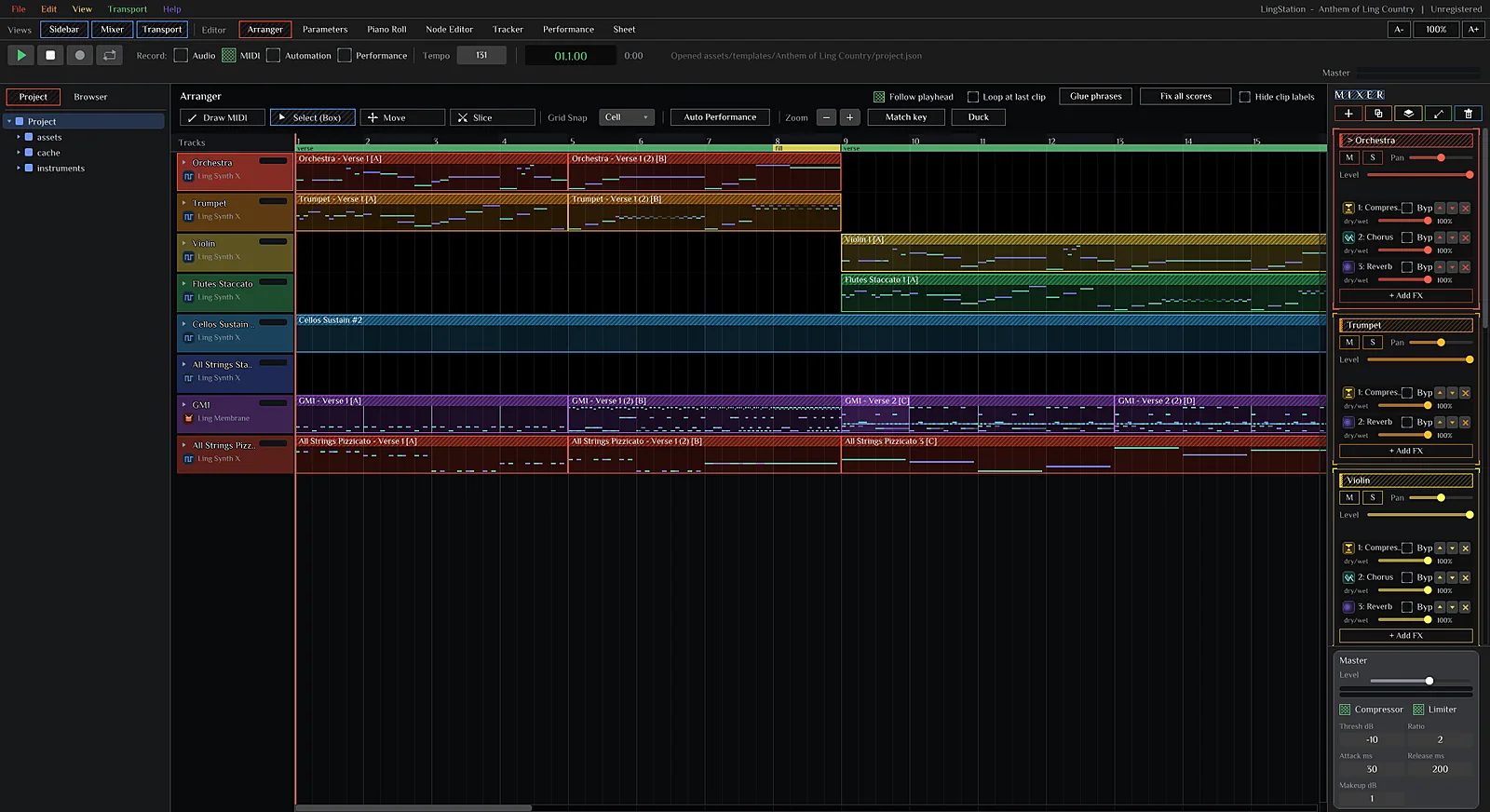
Arrange
A timeline that stays out of your way
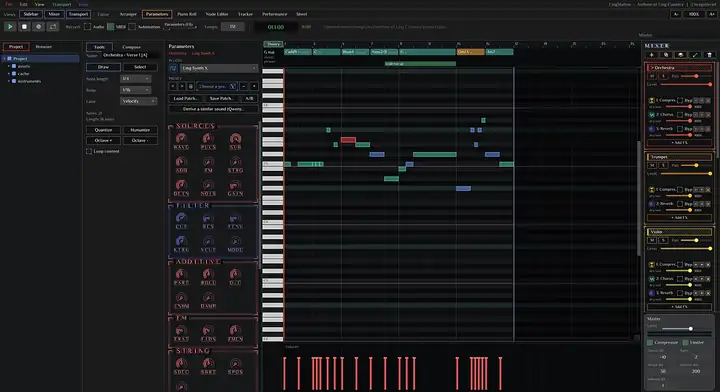
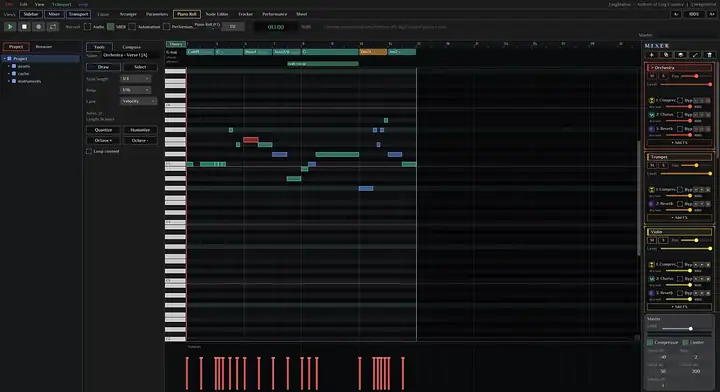
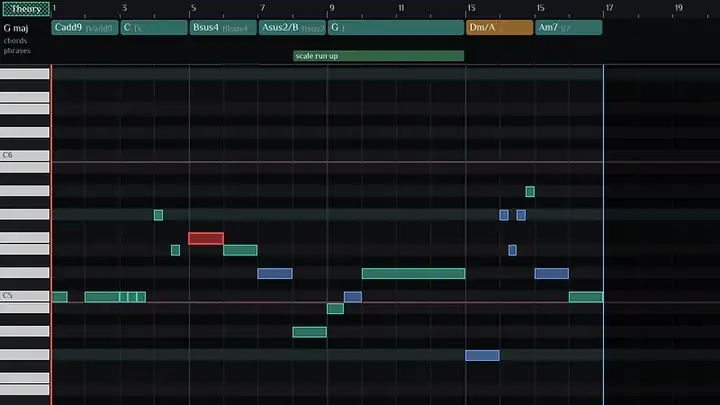
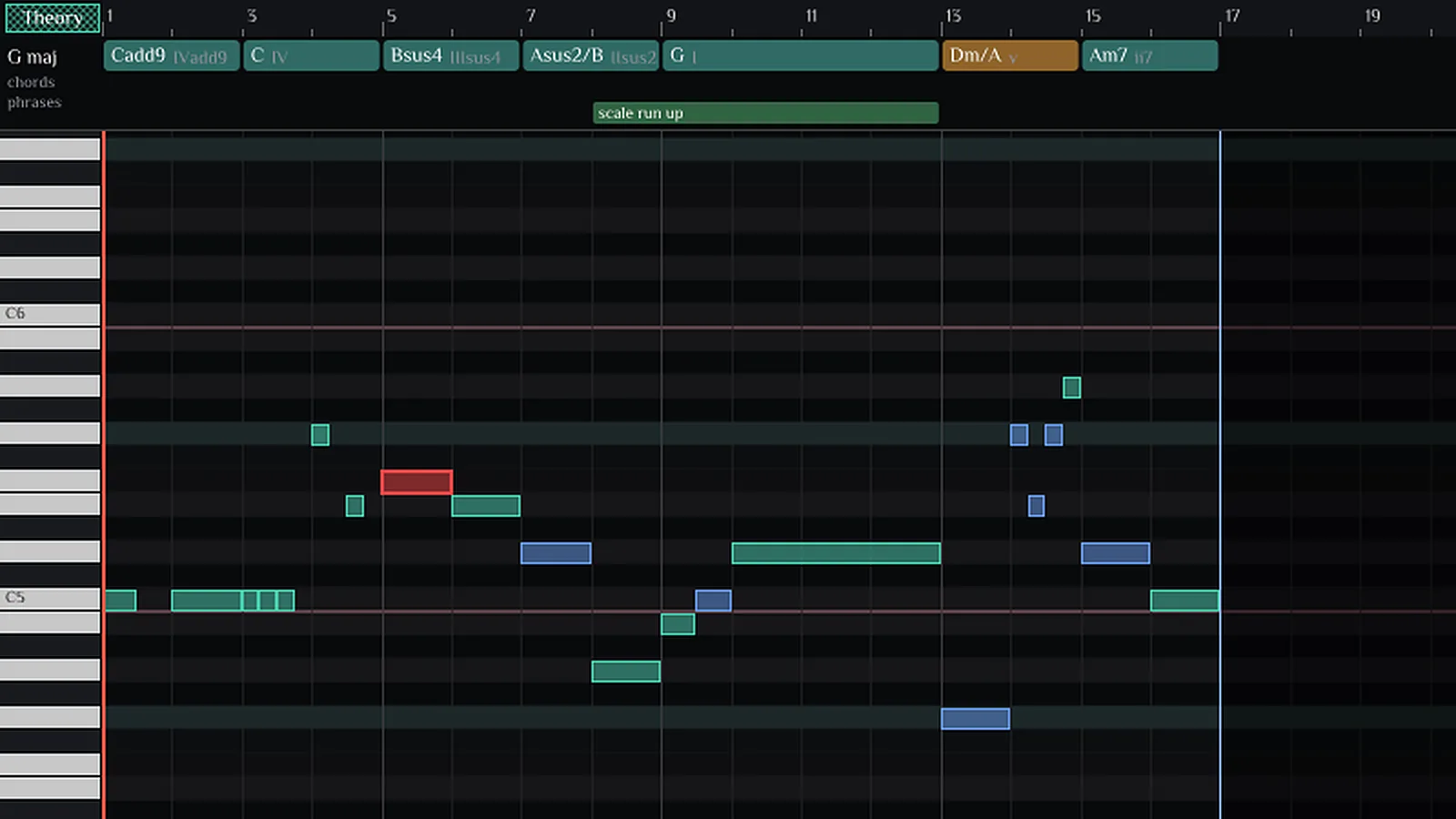
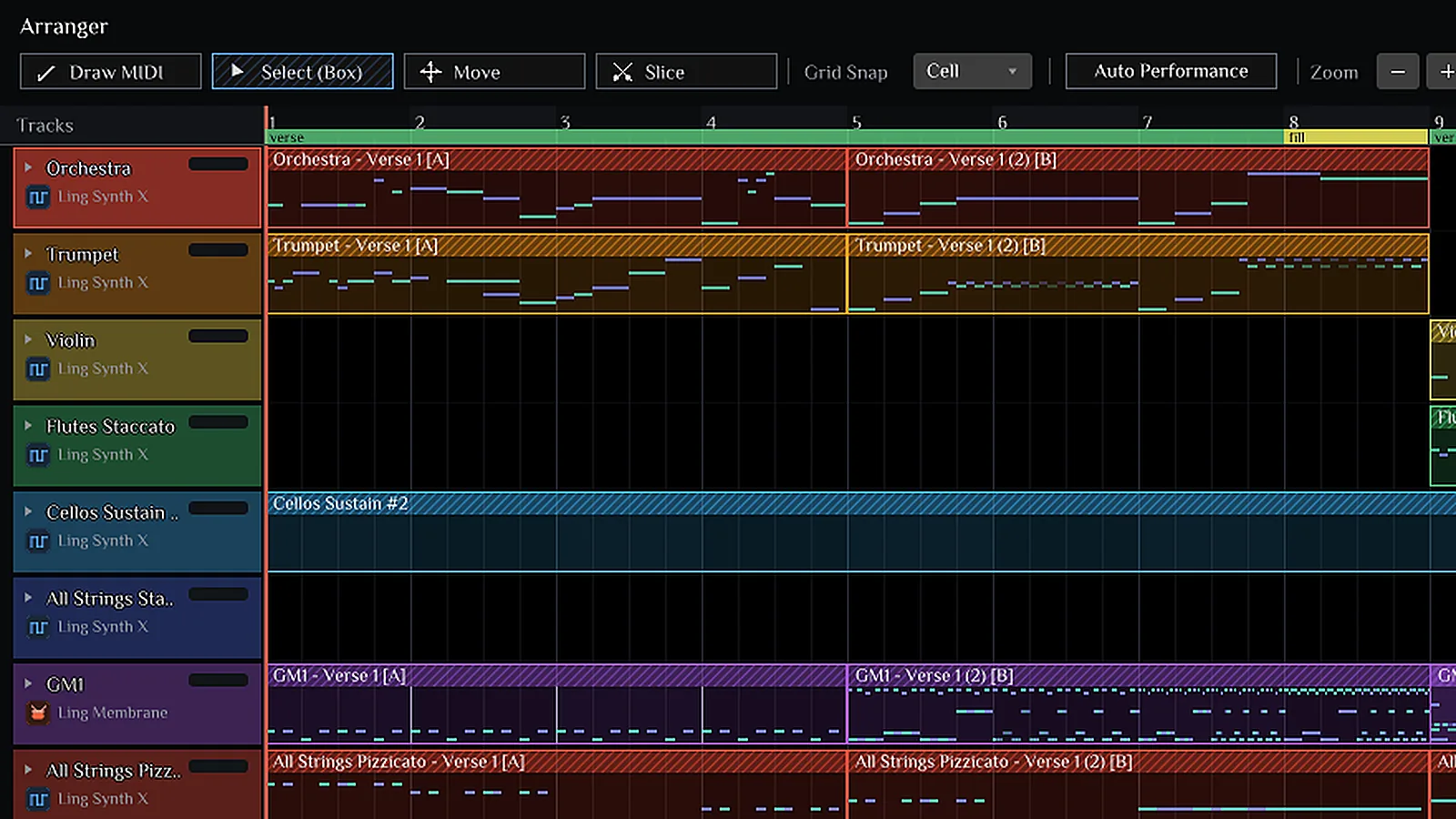
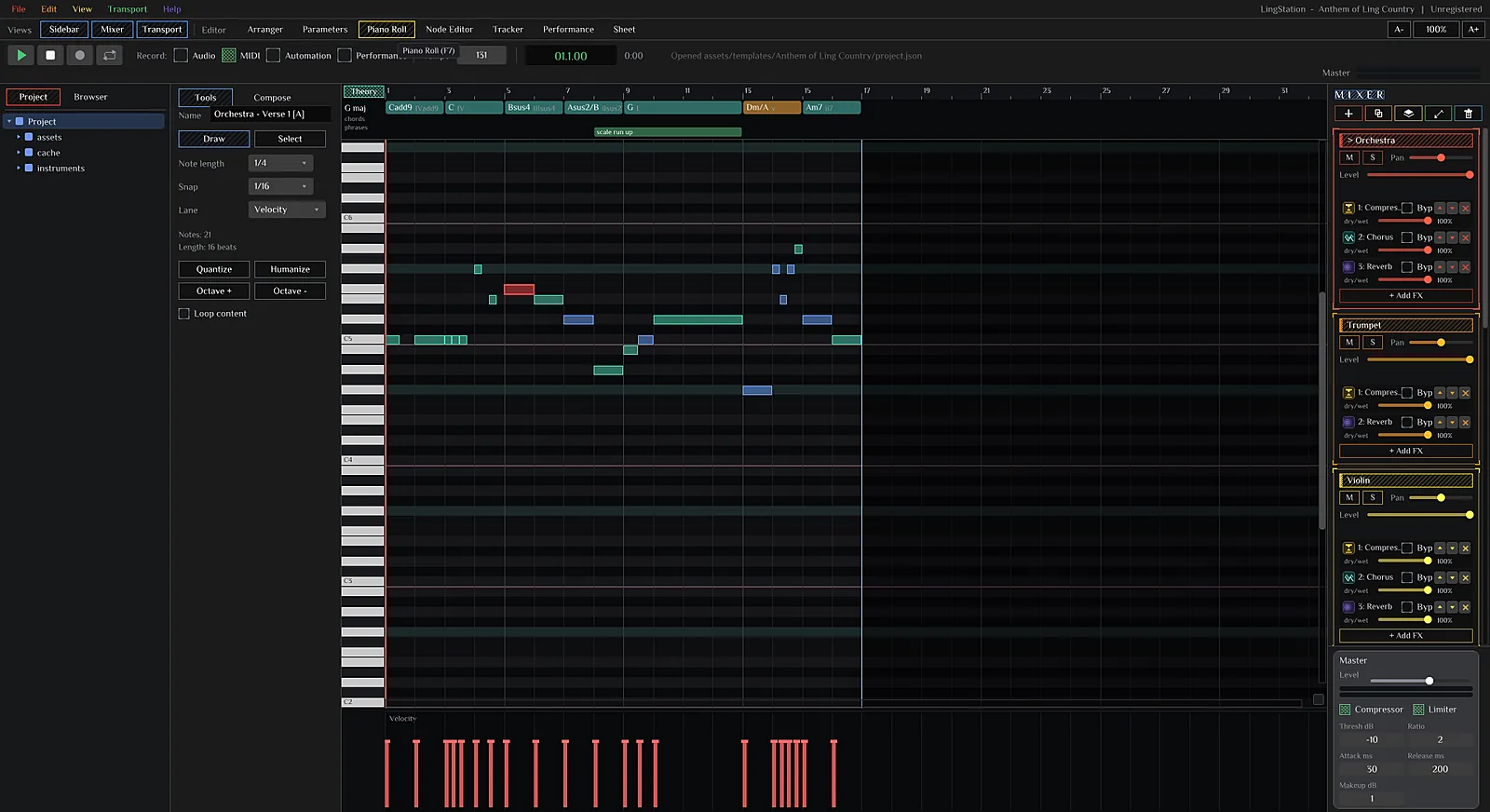
Colour-coded tracks, clips that show their own notes, section markers, and the mixer one glance away. The piano roll reads the key and chords for you.
- Draw, select, move and slice tools with grid snap
- Glue phrases, fix all scores, match key, duck
- Quantize, humanize and octave tools in the piano roll
Sound design
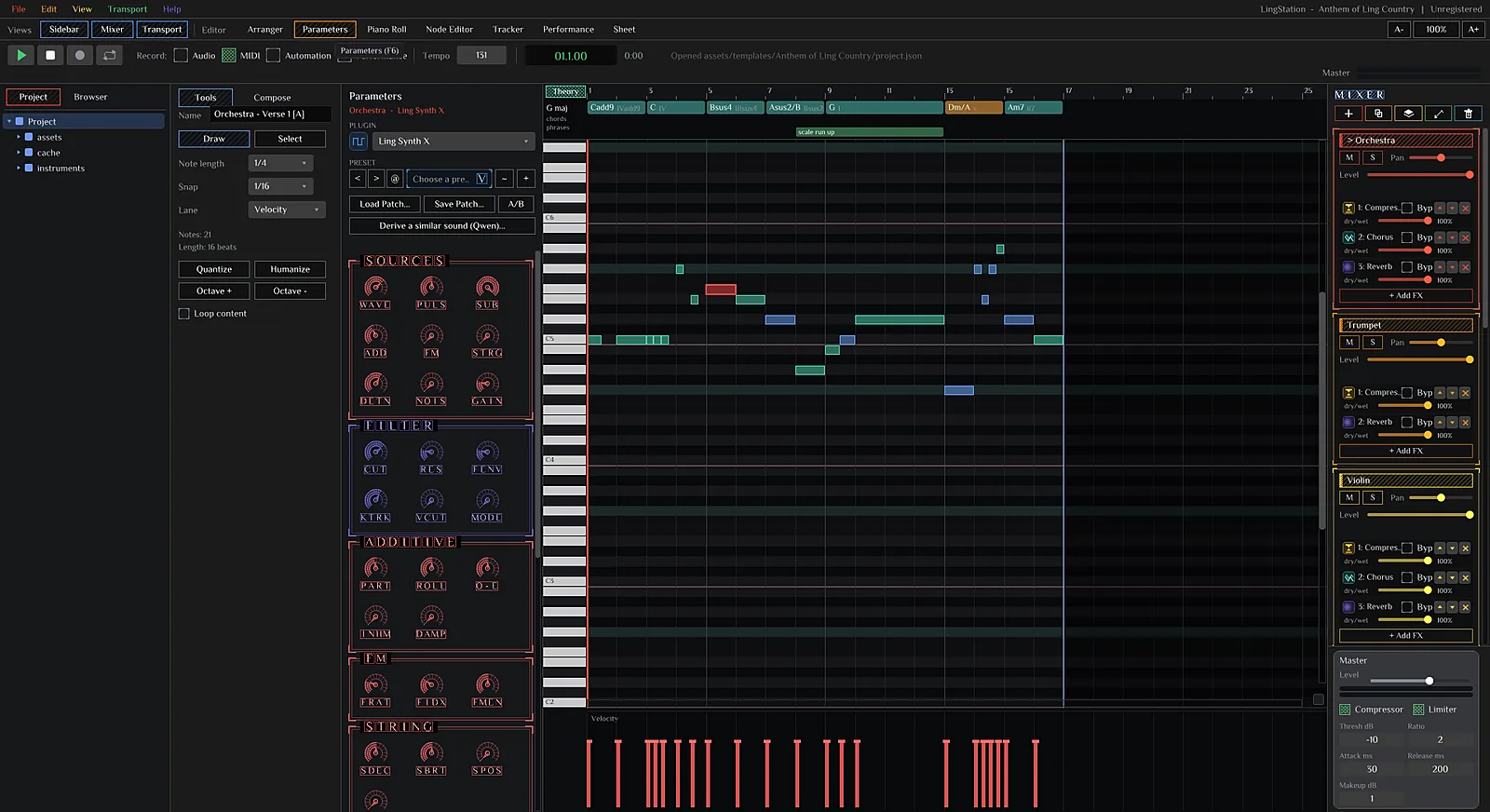
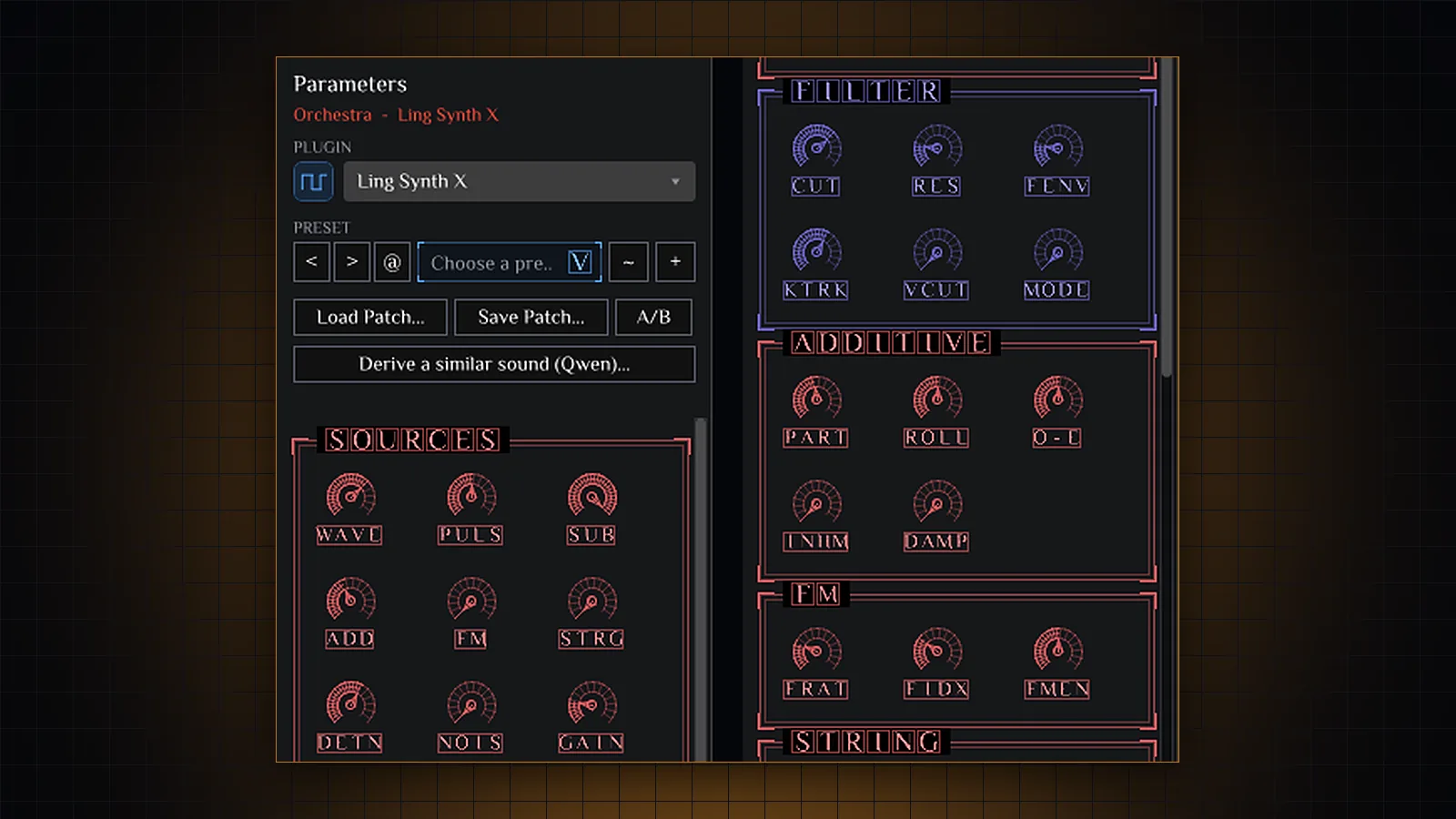
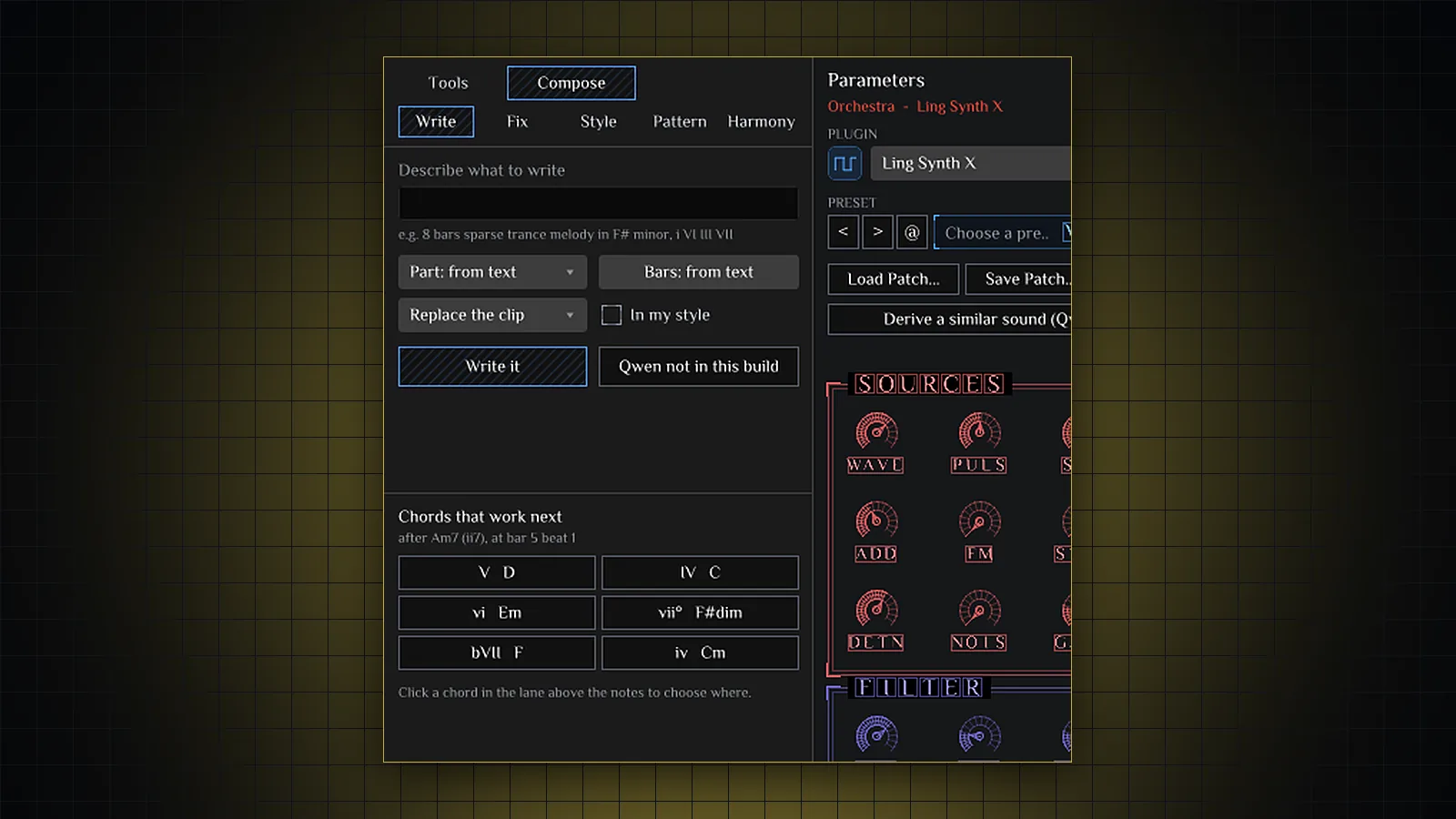
Synths drawn in the Ling Design System
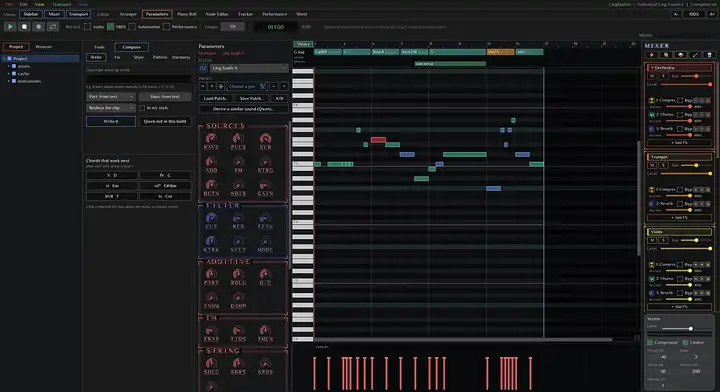
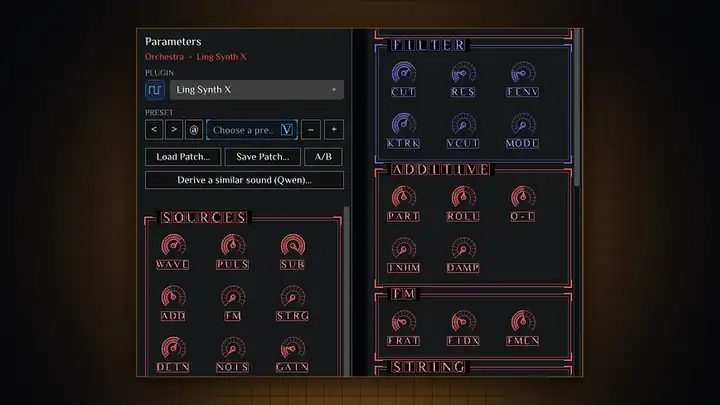
Every parameter is a knob in a labelled section: sources, filter, additive, FM and string. Six instruments, patch files, A/B compare, and a local AI that derives a similar sound from the one you have.
- Prism, Growl, Synth X, Membrane, Voice and Pluck
- Preset browser, load and save patches
- Right-click any knob to automate it
Mix & effects
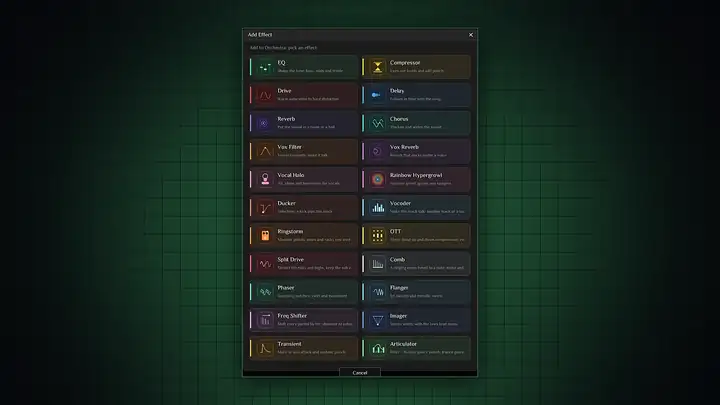
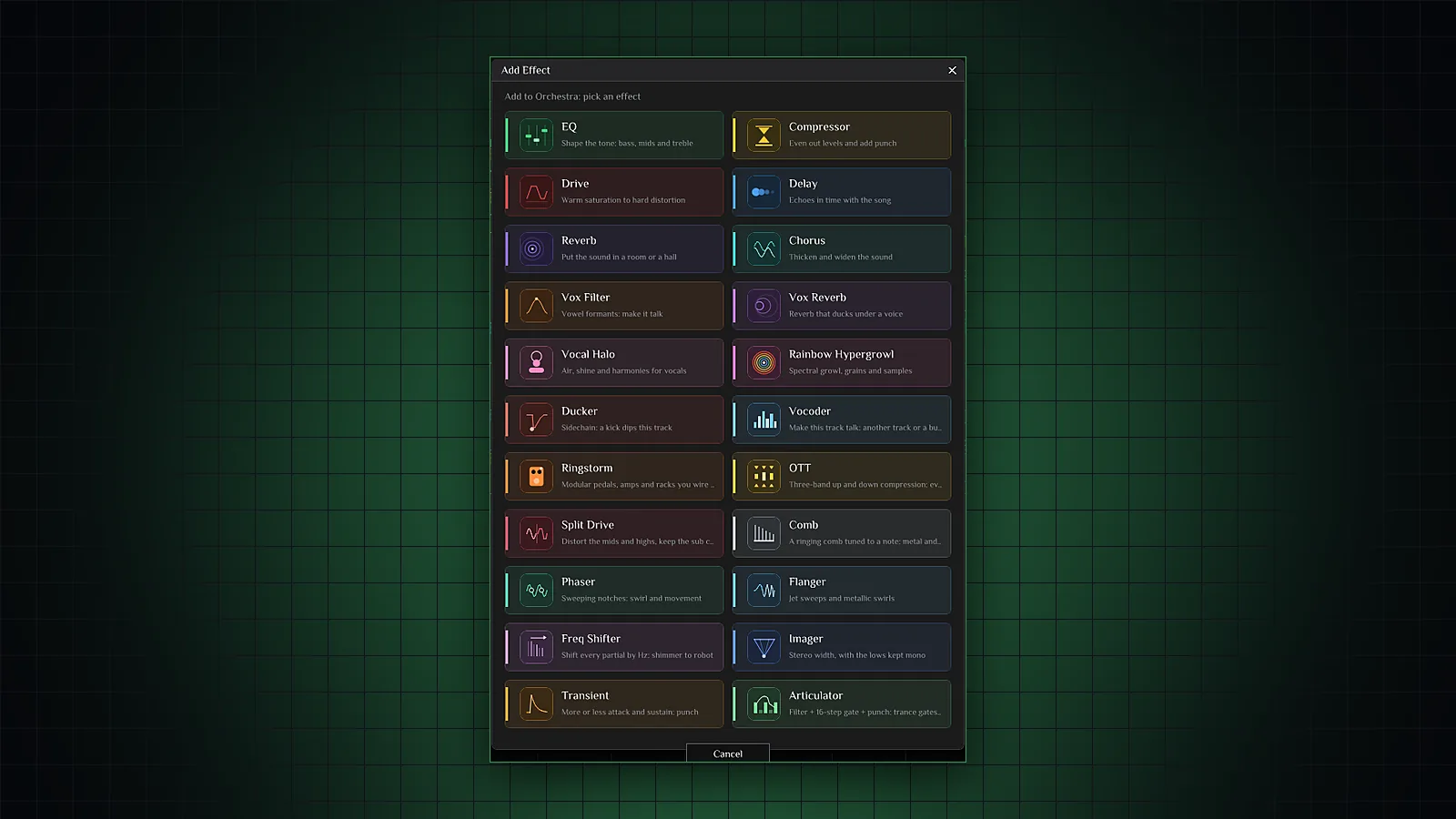
22 effects, and every one has a dry/wet
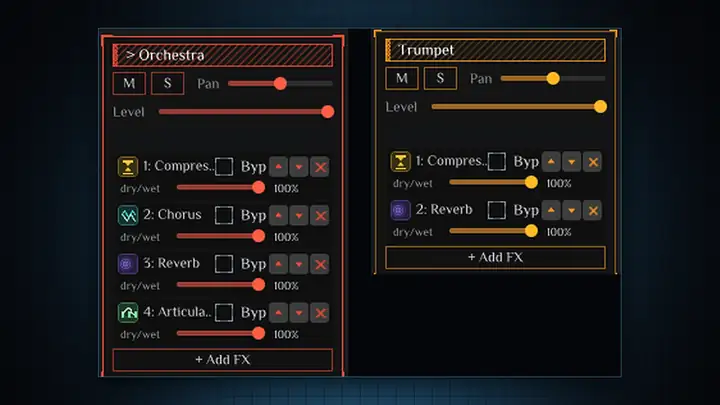
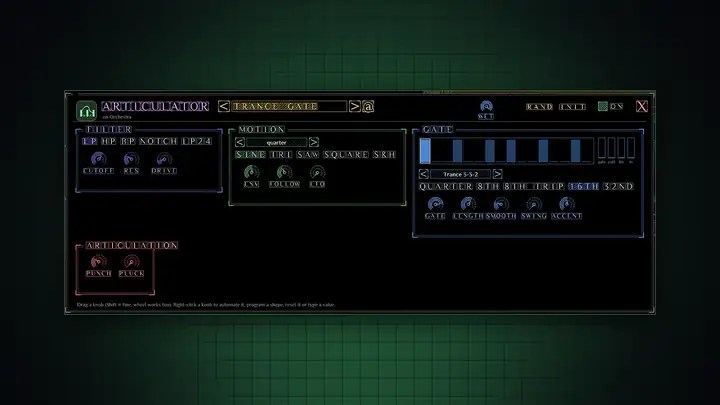
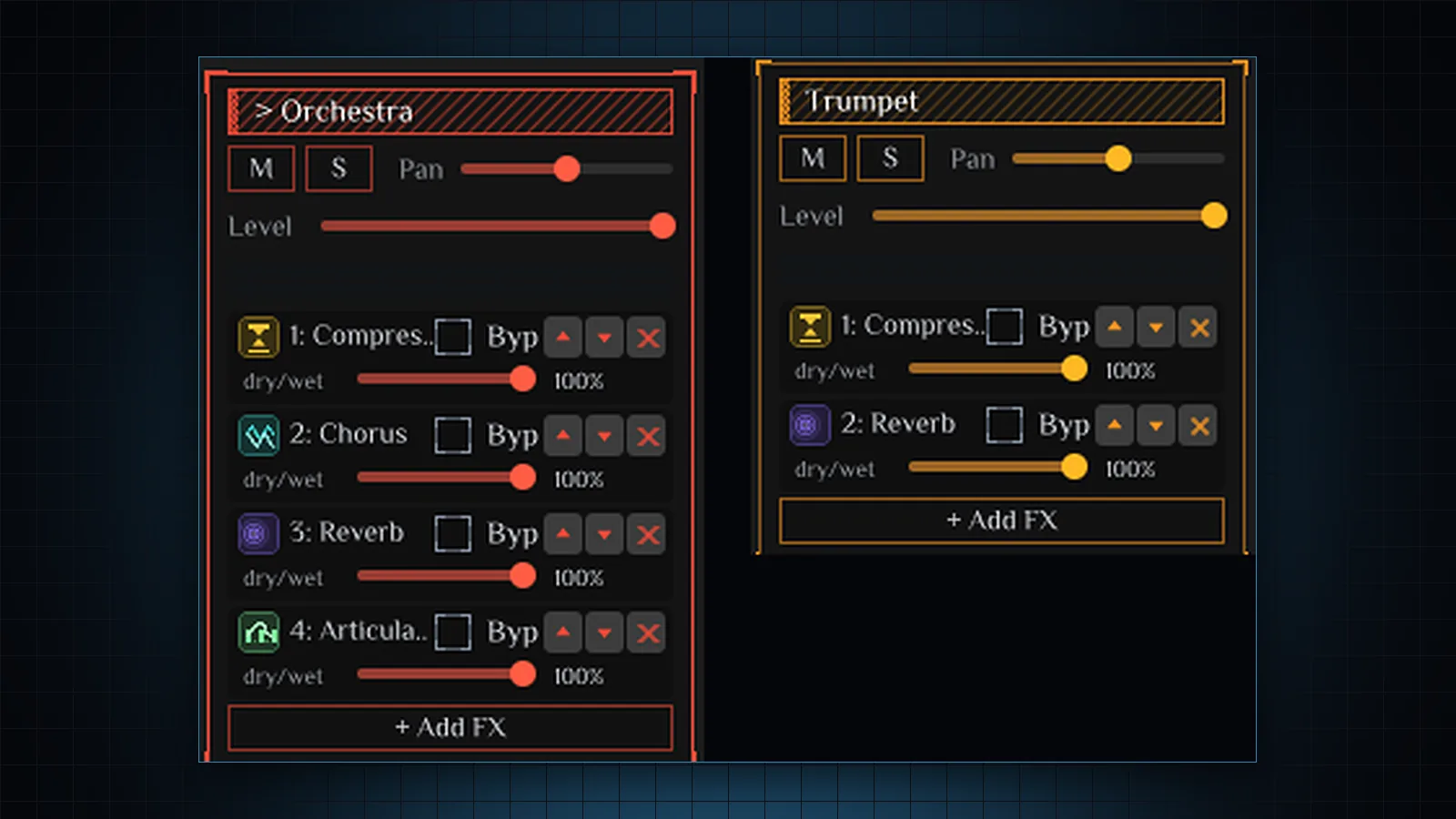
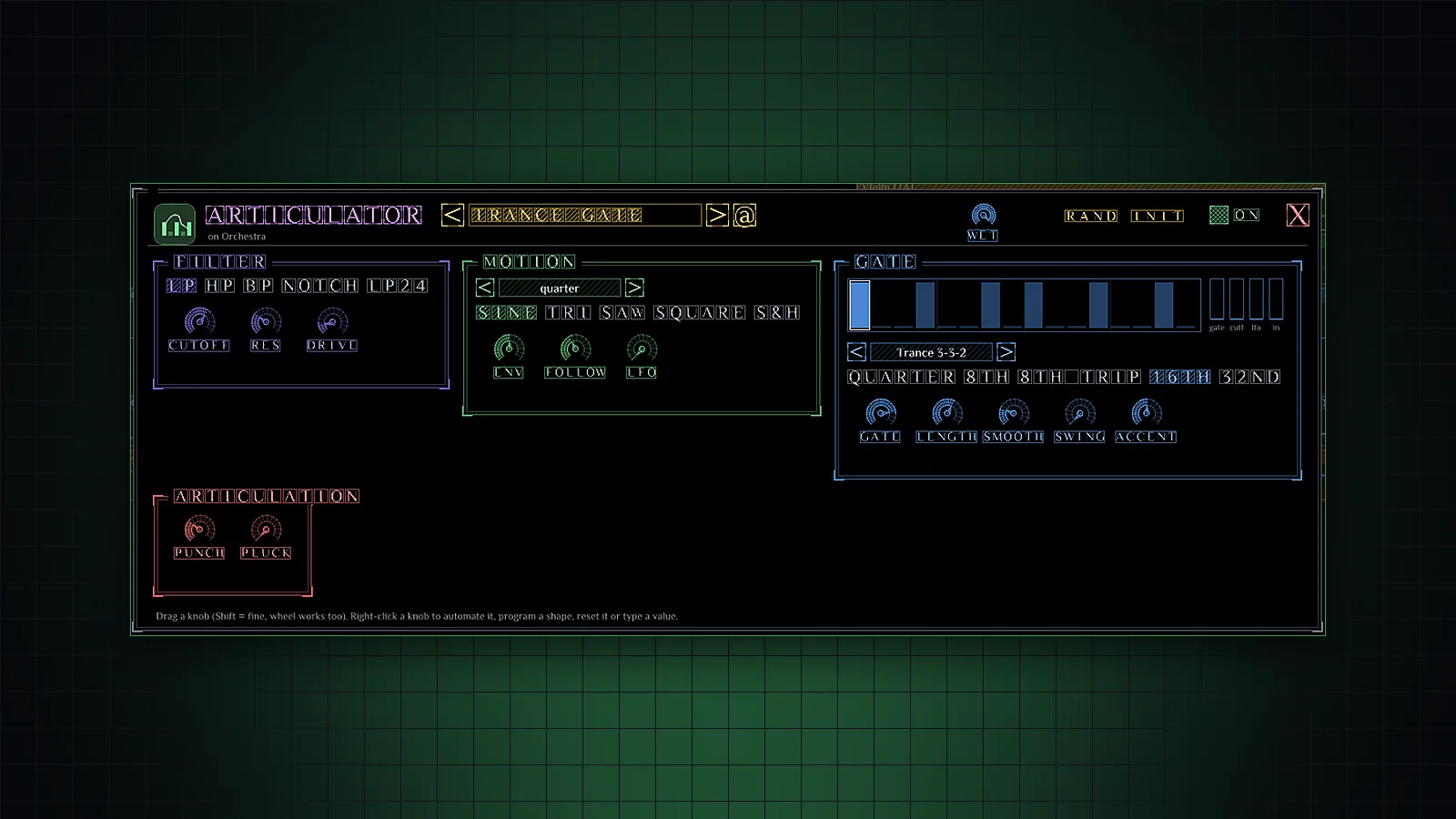
Build a chain per track from the effect browser. Bypass, reorder, set the dry/wet of any effect and draw automation for it. The new Articulator combines a filter, motion and a 16-step gate.
- EQ, compressor, delay, reverb, chorus, vocoder, OTT, imager, comb, flanger and more
- Dry/wet per effect, automatable from the knob menu
- Articulator: filter, motion, step gate and articulation, with trance presets
Compose with AI
A co-writer that runs on your machine
Describe what you want and write it into the clip, fix a part, restyle it, ask for a pattern or get the chords that work next - with a local Qwen model, so nothing leaves your computer.
- Write, Fix, Style, Pattern and Harmony tabs
- Chords that work next, from the key and the last bar
- AI mix and master
Routing
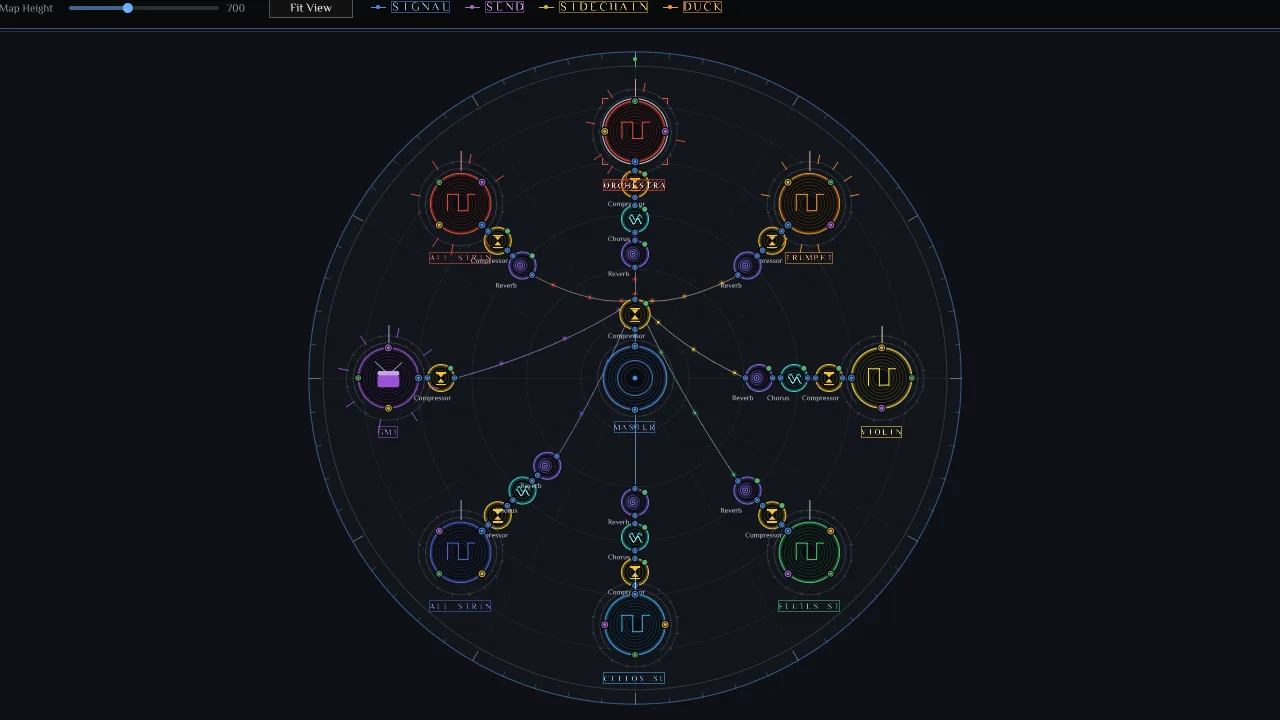
Your whole project as a wheel
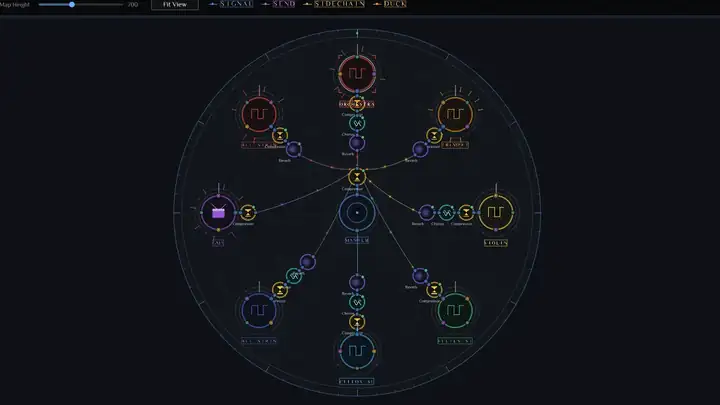
The node editor draws tracks, effects, sends and sidechains as a patch bay. Drag a port to route or duck; drag a node to rearrange; wheel to zoom.
- Sends and sidechains in one view
- Every track and effect is a node
- Ducking wired from the kick in two drags
Perform
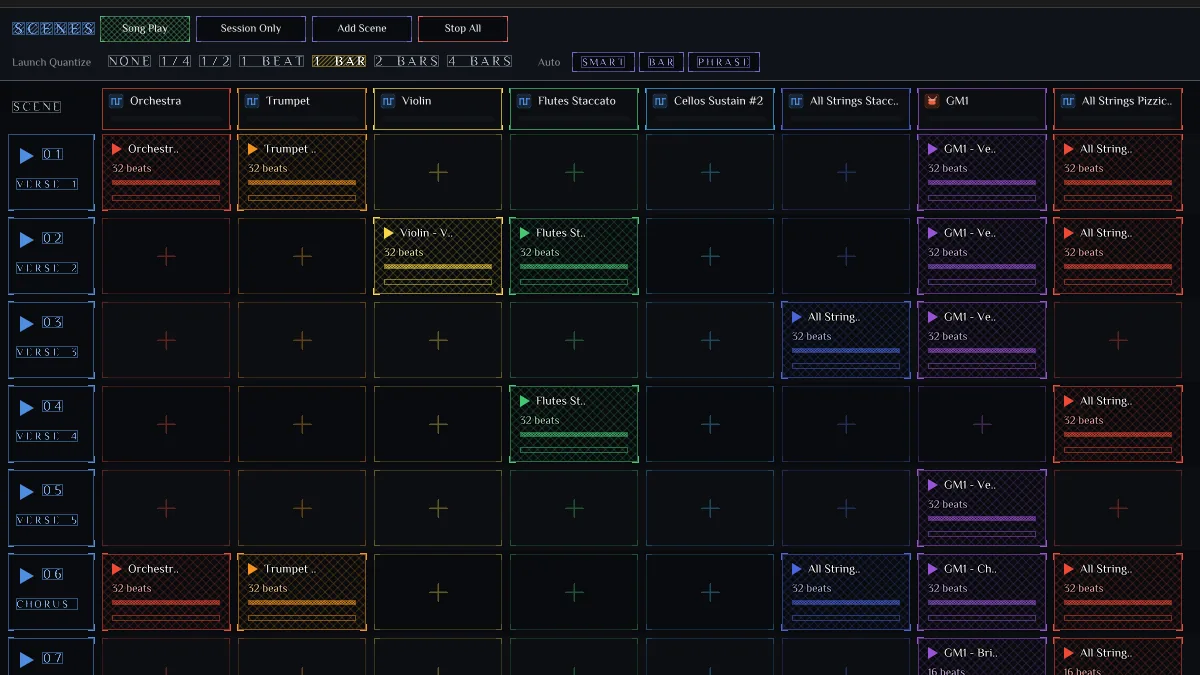
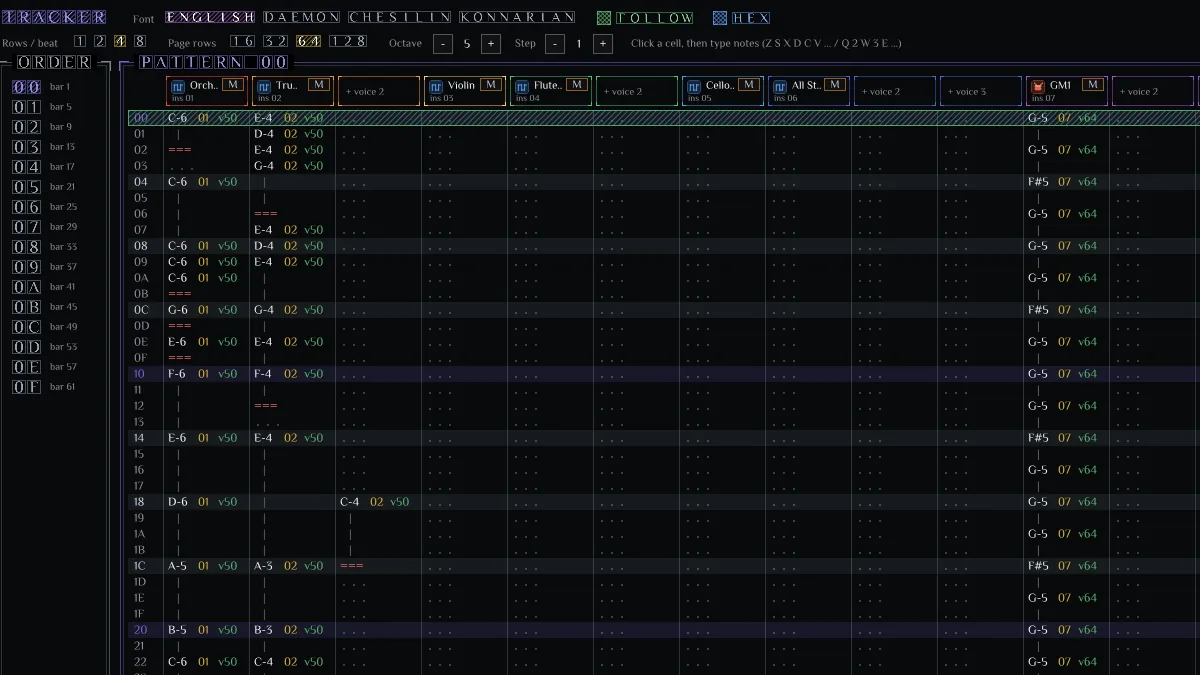
Launch scenes, or step through a tracker
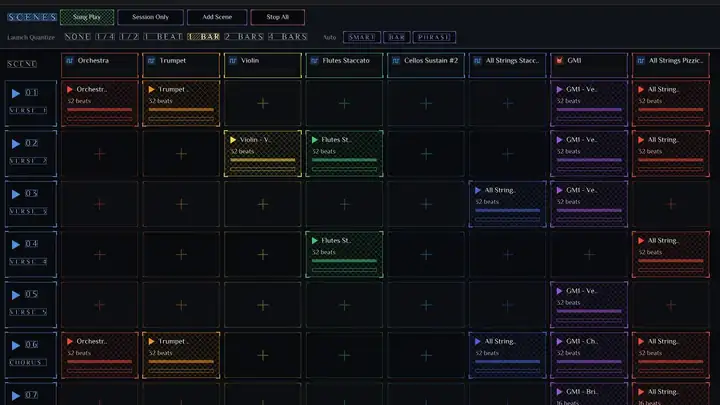
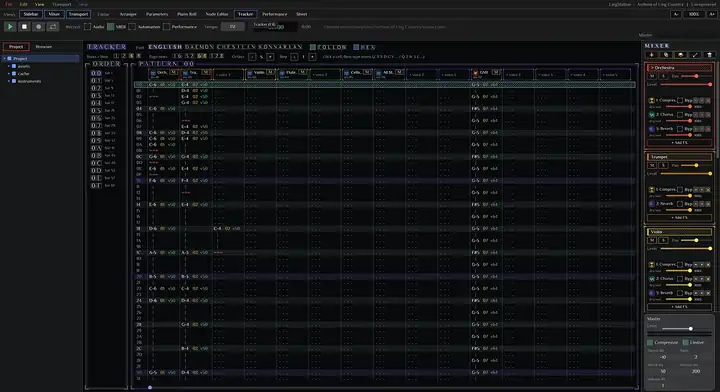
A session launcher with scenes and per-track clip slots and launch quantize, and a tracker with four fonts, hex mode and follow - both read the same project as the arranger.
- Scenes, quantize from none to 4 bars, Song Play or Session Only
- Tracker with order list, patterns and hex mode
- Import tracker modules
Wherever you make music
Desktop
Windows installer, macOS disk image and a Linux package, rebuilt every week. One license, all three.
In the browser
The same interface, running in your tab with a Studio subscription: open any of your projects and keep working anywhere.
In the cloud
Every project and every version backed up whole, with previews rendered by the real engine and timestamped comments.
Make something this week
Own LingStationX for $79.00, or open it in your browser with Studio from $6.00 a month.